PCIe Bifurcation vs PCIe Switches and Retimers for Multi-GPU Builds
I’ve run a passive bifurcation riser and a PCIe switch card on the same two RTX 3090s, and the switch is the one I’d buy. In September the riser’s links kept dropping and renegotiating their speed. My post on that riser ended with a boot-time lock pinning each card’s link speed at gen3, and a guess that a switch would do better.
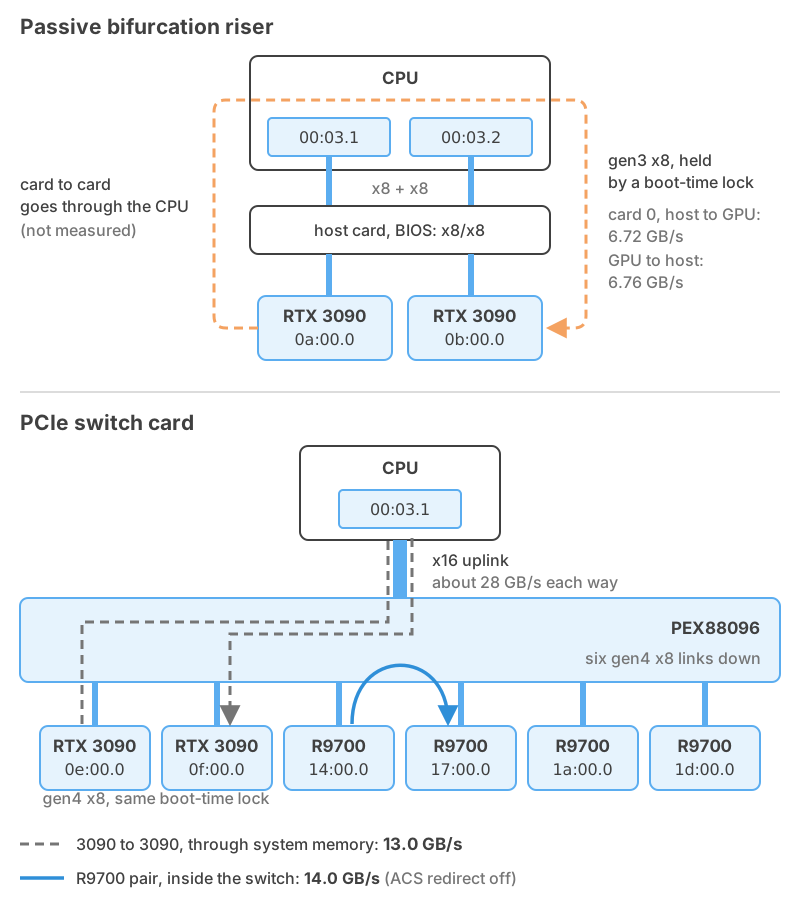
The same two 3090s now sit behind a Broadcom PEX88096 switch with four AMD Radeon AI PRO R9700s, six GPUs in the one x16 slot of the same ASUS TUF X570-Plus. The 3090s run gen4 x8 on it, with that same lock now set to gen4, and the R9700s behind it can talk to each other without going through the CPU.
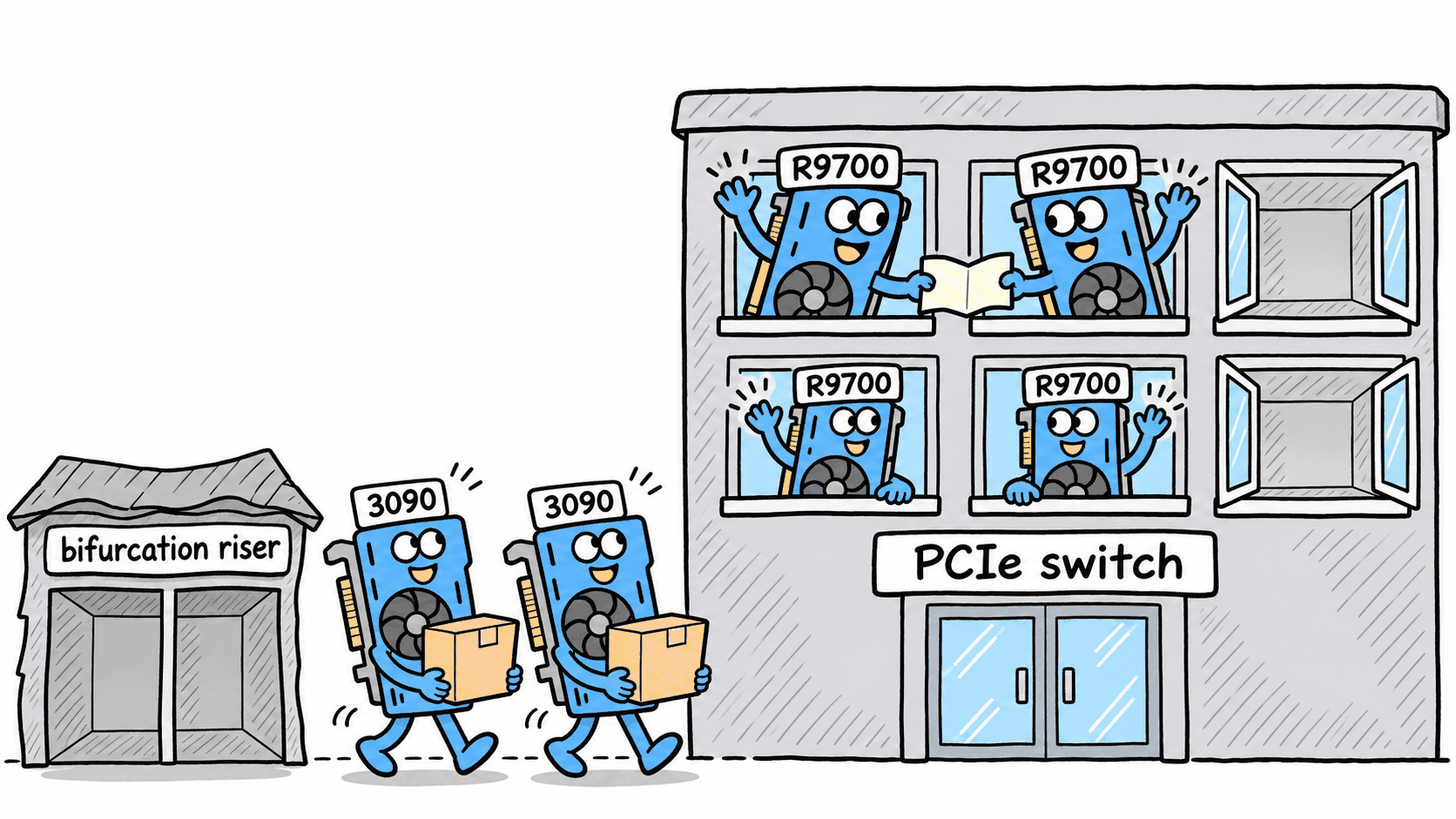
PLX Technology made the PEX line of switch chips, Avago bought it in 2014, and Avago later took the Broadcom name, so the PEX88096 is a Broadcom part and builders still call any switch card a PLX card.
Bifurcation: the CPU splits one slot 🔗
A CPU has a fixed number of PCIe lanes, grouped into root ports, which are the CPU’s ends of PCIe links. Bifurcation is a BIOS setting that tells the CPU to run the sixteen lanes of one slot as two links of eight, or four of four, each with its own root port.
A passive riser then carries each group of lanes to its own card, with no chip anywhere, so each card’s link runs unbroken from the CPU to the GPU (mine is in the riser post).
That makes bifurcation cheap, and each card gets its own lanes to the CPU. It also means the BIOS has to offer the split you want, because a riser can’t create a link the CPU isn’t running.
On my riser, each time a 3090 changed speed its link went back through training, a handshake during which the link carries no data. Some retrains stalled long enough for requests to time out, with nothing in the kernel log.
With bifurcation the two cards sit on separate root ports, so anything one card sends the other goes up through the CPU.
Redrivers and retimers carry a link farther 🔗
I haven’t tested either part, so this section comes from vendor documentation. A redriver is a mostly analog part that sits in the middle of a link and boosts the high frequencies the trace or cable lost. It uses an equalizer setting chosen ahead of time, and in the words of Astera Labs, which makes retimers, a redriver is “unaware of and unparticipating in the protocol.” It amplifies whatever arrives, noise included.
A retimer recovers the data from the incoming signal and transmits a fresh copy on a clean clock. It’s protocol-aware and adapts its own equalization. It also runs the same link-training state machine as the two ends of the link, so it takes part in every retrain.
Astera says retimers “reset the jitter and insertion loss budgets,” so a link can run farther than it could on its own.
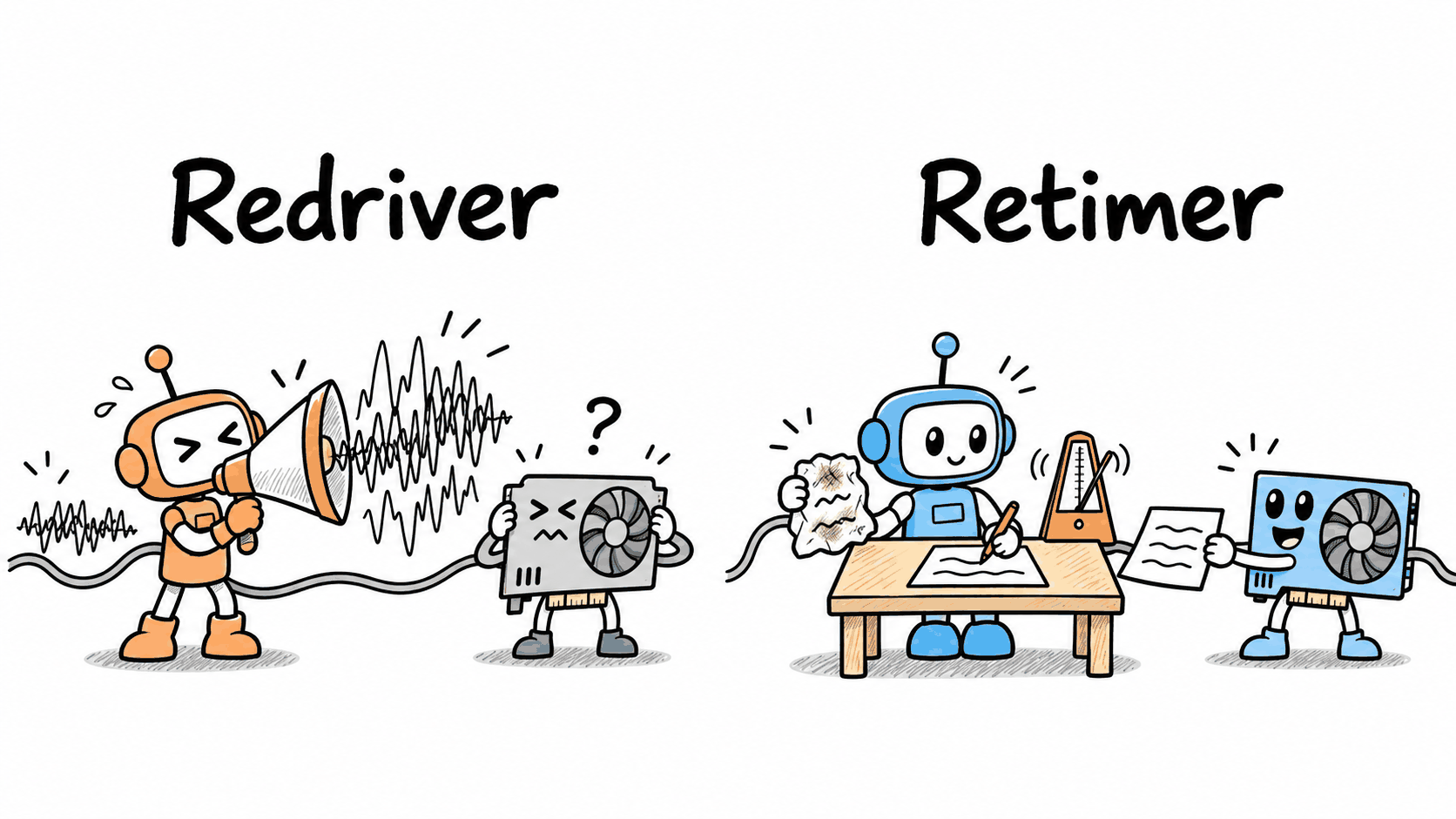
Neither part adds lanes or ports. A retimer riser for two GPUs still depends on the BIOS splitting the slot, because the retimer passes the CPU’s links along one for one, and card-to-card traffic still goes through the CPU.
A PCIe switch (PLX card) runs every link itself 🔗
A switch is a chip with one upstream port to the CPU and several downstream ports to the cards. The CPU sees one link, sixteen lanes to the switch. Each GPU gets its own link that ends at the switch, and only the switch and that card take part in training it.
Broadcom’s selection guide lists the PEX88096 as a gen4 part with 98 lanes. On my card, sixteen go up to the CPU, and ten x8 ports come down in groups of two, four, and four, plus a couple of x1 ports. Only six have connectors on the card, so one group of four sits unused. The R9700s fill one group of four, and the 3090s the group of two. The slot stays a plain x16 in the BIOS, so there’s no bifurcation setting to find.
Because each card’s link stops at the switch, a 3090 changing its speed should retrain only its own hop and leave the link between the switch and the CPU alone. Both 3090 links run gen4 x8 behind the switch, the speed the riser couldn’t hold, with the same boot-time lock still on.
Card-to-card traffic, called peer-to-peer or P2P, is why I like switches. When one GPU writes to another on the same switch, the switch can route it between its downstream ports without sending it up to the CPU, as long as ACS redirect is off (more on that below). Each R9700 pair copied at 14.0 GB/s, about all eight lanes of gen4 will carry.
With all four R9700s copying to the next one in a ring at the same time, they moved 54.7 GB/s in total. The x16 link between the switch and the CPU tops out at about 28 GB/s each way, so that traffic never left the switch, and that’s what I bought the card for.
Turning P2P off roughly halved what the four R9700s serve to 16 clients at once, which the P2P post (coming soon) will dig into.
The 3090s don’t get that. On NVIDIA’s stock driver they can’t copy straight to each other, so their traffic goes through system memory.
Bifurcation, retimers and switches compared 🔗
| Passive bifurcation riser | Retimer riser | PCIe switch card | |
|---|---|---|---|
| Lanes per card | A fixed share of the slot | A fixed share of the slot | Its own x8 or x16 behind a shared x16 uplink |
| Link from CPU to card | One long passive path | Split into retimed segments | Two separate links, CPU to switch and switch to card |
| Card-to-card traffic | Through the CPU | Through the CPU | Inside the switch, if ACS and the driver allow it |
| BIOS needs | The bifurcation split you want, plus room for every card’s BARs | The same | A plain x16 slot, plus room for every card’s BARs |
| What I measured | Gen3 x8, 6.72 and 6.76 GB/s, after a boot-time lock | Nothing | R9700s at gen4 x8, 14.0 GB/s per pair, 54.7 GB/s ring |
What a PCIe switch costs: BAR space, the uplink, ACS and power 🔗
Most of my trouble has been address space. Each GPU exposes BARs, the windows the CPU uses to reach its memory, and they all have to fit. The BIOS hung with Resizable BAR on and six cards installed. Then Linux 7.0 sized the switch’s window too small for four 32 GB BARs. A small kernel module of mine lays the BARs out before the GPU drivers load, more in the module post (coming soon).
Six cards with eight lanes each share the switch’s sixteen lanes to the CPU, so loading weights from system memory onto all six at once divides that uplink between them. For a box that loads a model once and then runs it, I’ll take that trade.
The switch only routes peer traffic internally when ACS redirect is off. ACS redirect is a port setting
that forces peer requests up to the CPU, where the IOMMU checks which memory each device may touch.
pci=disable_acs_redir= turns it off for the ports you list by address. On my box that’s the four R9700
ports, and the other switch ports still report redirect on.
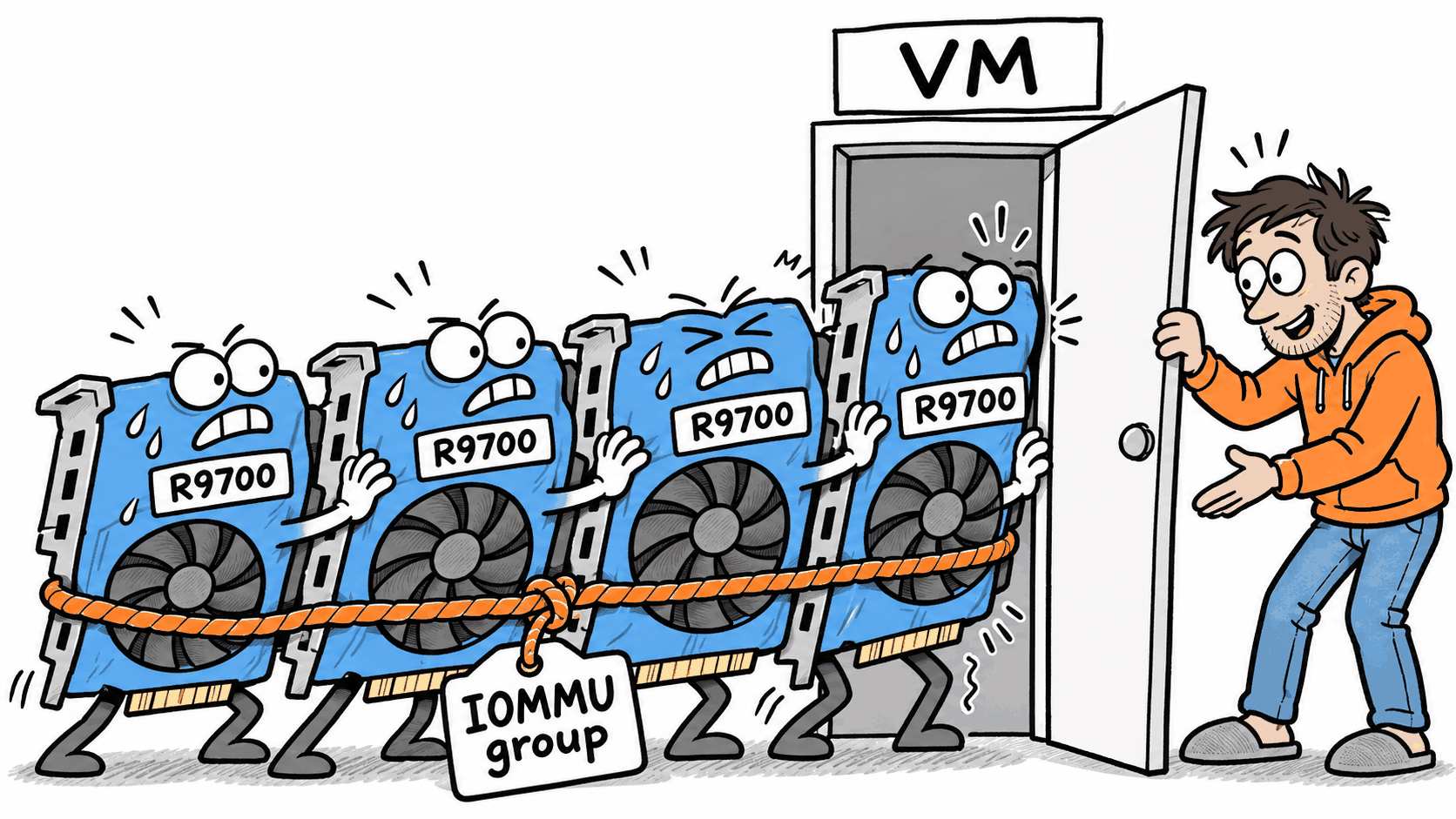
The kernel’s documentation warns that the parameter “removes isolation between devices and may put more
devices in an IOMMU group.” That’s fine when one OS owns every GPU. The box can run VMs under Proxmox, and if I pass a
single R9700 into a VM, the cards I opened up for P2P may have to go with it. ACS on doesn’t promise a
card its own group either, so list the groups with find /sys/kernel/iommu_groups/ -type l first.
The card has no power input of its own and runs from the slot. Broadcom’s guide lists about 36 W of typical power for the chip, on top of what the slot already feeds.
Choosing a riser or a switch for a multi-GPU box 🔗
- Check which bifurcation splits your BIOS offers before buying a riser.
- Watch link status under load on any riser, because a link can retrain without logging anything.
- Choose a switch when cards need to talk to each other or bifurcation can’t split the slot enough ways for your cards.
- Keep Resizable BAR off unless every card still boots with it on.
- Keep ACS on for any GPU you might pass through to a VM, and check its IOMMU group before counting on it.
I had help with this one. Claude and Qwen helped me research the vendor documentation and draft this post. I did the physical work, read all the words, checked the numbers, and rewrote anything that sounded like a chatbot, so the mistakes are mine.
Sources 🔗
- Broadcom PCI Express Switches selection guide (BC00-0445EN), the PEX88096’s lane count and typical power
- Avago Technologies to acquire PLX Technology, the 2014 deal that put the PEX switch line under Avago, now Broadcom
- Linux kernel-parameters.txt, the
pci=disable_acs_redirentry and its IOMMU group warning