Debugging PCIe Link Retraining on an x8/x8 Splitter with Two RTX 3090s
I run Qwen3.8-27B, a 27-billion-parameter model, across two RTX 3090s, the rig from my tuning post. The two cards work on every request together, so they talk constantly over PCIe, the bus that connects cards to the CPU. My motherboard, an ASUS TUF X570-Plus, has one PCIe slot with all sixteen lanes electrically connected. The BIOS can split its 16 lanes into two sets of eight, a setting called bifurcation, and a passive PCIe splitter, sold as a bifurcation riser, then carries each set to its own card. It’s a cheap and common way to get two GPUs onto a desktop board.
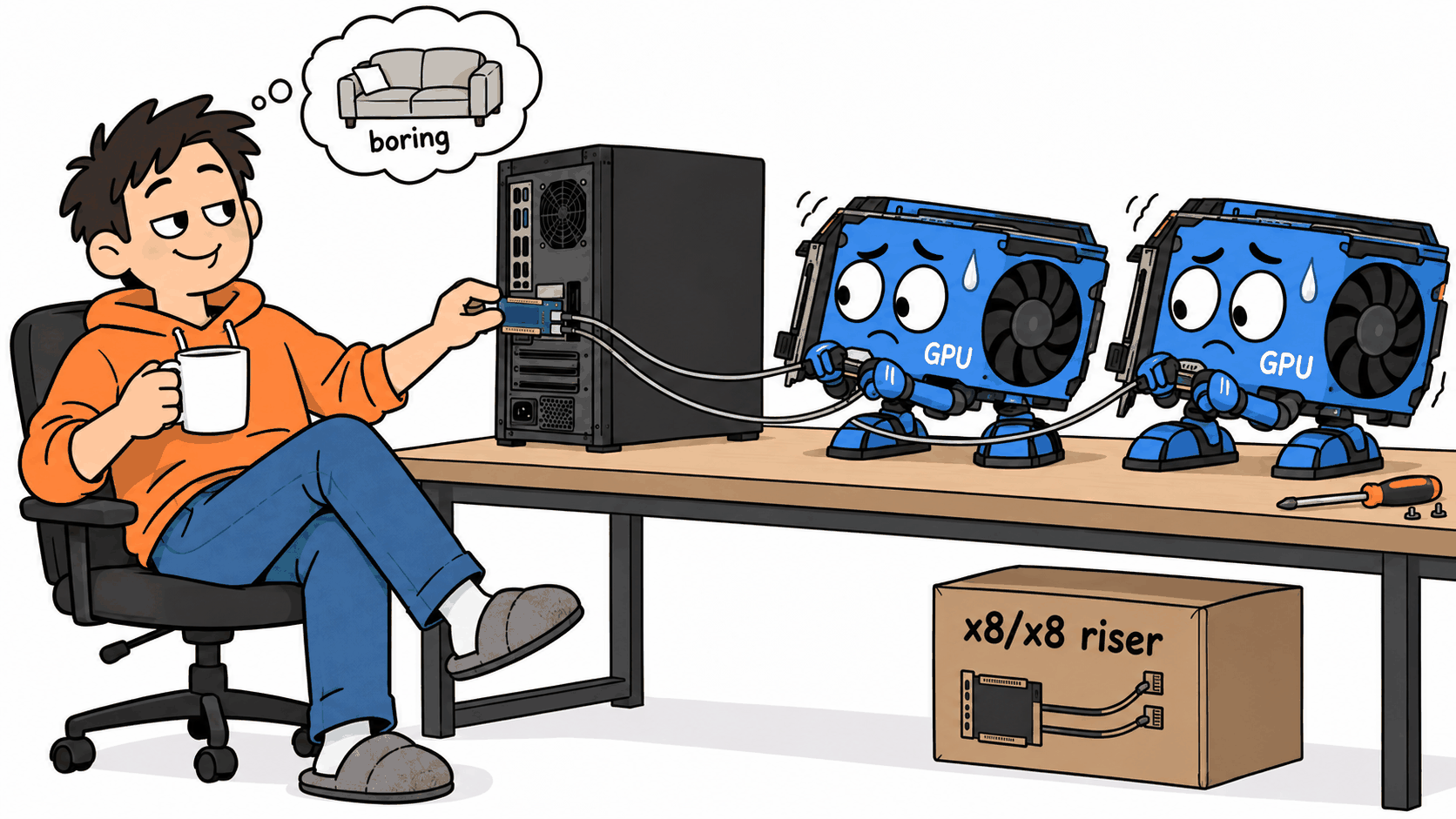
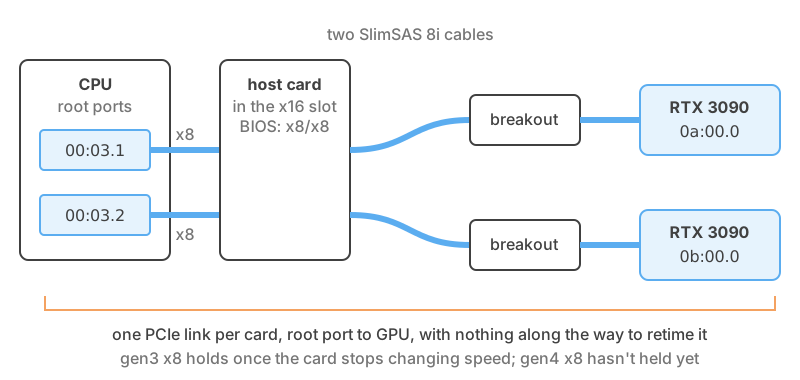
The splitter is a generic kit from Amazon. A host card sits in the slot, two cables run out of it, and each cable ends at a small board with a normal GPU slot and a power plug. There’s no electronics on it beyond those plugs, and it isn’t a switch, the kind of card with a chip that runs each link itself. It’s traces and cable, and each card’s connection runs unbroken from the CPU to the card.
In the commands below, card 0 and card 1 are at PCI addresses 0a:00.0 and 0b:00.0, and the CPU ends
of their links, which PCIe calls root ports, are 00:03.1 and 00:03.2.
PCIe comes in generations, and each one roughly doubles the speed of the last. Some of the raw rate goes on the bus’s own bookkeeping, so eight lanes of gen3, which is where these cards ended up, should move about 6.7 GB/s in each direction. Eight lanes of gen1, the slowest, should still manage about 1.7 GB/s.
vLLM stuck loading the model 🔗
I moved the cards onto the splitter one at a time. With the first one on it, vLLM, the server that runs the model, got stuck loading it. Loading normally takes under a minute. It sat at the first step for over ten minutes.
The boot log said the link was fine:
pci 0000:0a:00.0: 63.008 Gb/s available PCIe bandwidth, limited by 8.0 GT/s PCIe x8 link at 0000:00:03.1 (capable of 252.048 Gb/s with 16.0 GT/s PCIe x16 link)
That’s gen3 on eight lanes, the raw rate behind the 6.7 GB/s above. Under load, lspci -vv said the card
was running at gen1:
LnkSta: Speed 2.5GT/s (downgraded), Width x8 (downgraded)
while the CPU end of the same link said gen4:
LnkCap: Port #1, Speed 16GT/s, Width x8
LnkSta: Speed 16GT/s, Width x8
In those lines 2.5, 8, and 16 GT/s are gen1, gen3, and gen4. The “downgraded” on the width is expected: a
3090 wants sixteen lanes, so it calls any eight-lane link downgraded. The “downgraded” on the speed is the
fault. The card’s status also showed a completion timeout (CmpltTO+), an error bit that means it had
asked the CPU for something and the answer never came back.
Two ends of one wire can’t disagree about its speed, so those two readings were snapshots of a link that kept renegotiating.
Every time a PCIe link changes speed it goes through a handshake called link training, and it carries no data while it does. A link stuck training over and over is why the load sat there. I didn’t understand that at first. I read the two lines as “the card is broken” and started unplugging things.
Measuring the PCIe link with setpci 🔗
lspci is reading a few small status and control registers on each device. It’s slow to run over and
over, so Claude read the link status register directly with setpci, once a second, while something used
the link:
while sleep 1; do sudo setpci -s 00:03.1 CAP_EXP+12.w; done # LnkSta on the root port
The loop prints a four-digit value. A healthy gen3 link on this board prints 3083. Ours printed 3884
over and over, which decodes as a link trying for gen4 and stuck in training.
setpci can also write those registers. It takes a value and a mask so only the bits you name change,
and that’s how you set a target speed and ask the link to retrain. None of it survives a reboot:
sudo setpci -s 00:03.1 CAP_EXP+30.w=3:f    # root port: target gen3
sudo setpci -s 0a:00.0 CAP_EXP+30.w=3:f    # GPU: target gen3
sudo setpci -s 00:03.1 CAP_EXP+10.w=20:20  # root port: retrain now
For load I used a copy test: 256 MiB moved to the GPU and back, twenty times each way, from pinned memory, which is host memory the GPU can read directly so the copy is limited by the link and nothing else. It ran inside the vLLM container while the loop above sampled the CPU end of the link:
import torch, time
host = torch.empty(1 << 28, dtype=torch.uint8).pin_memory()
device = torch.empty_like(host, device="cuda")
moved = 20 * host.numel() / 1e9   # decimal GB, to match the link's own units
for name, copy in [("to GPU", lambda: device.copy_(host, non_blocking=True)),
                   ("from GPU", lambda: host.copy_(device, non_blocking=True))]:
    copy(); torch.cuda.synchronize(); start = time.time()
    for _ in range(20):
        copy()
    torch.cuda.synchronize()
    print(f"{name}: {moved / (time.time() - start):.2f} GB/s")
A good run copies at the speed the link is supposed to have and never shows the training flag.
nvidia-smi, NVIDIA’s status tool, isn’t good for this. It reports the link speed at the moment it asks,
and an idle 3090 drops its link to gen1 to save power, so it says gen1 most of the time whether the link is
healthy or not.
The kernel log was quiet. Some PCIe ports report link errors as they happen, a feature called Advanced Error Reporting, but these don’t have it. The link retried and retrained in silence. I’d assumed a bad PCIe link would be loud. Apparently not.
What didn’t work: BIOS, cables and power 🔗
I changed one thing at a time and reran the copy test. Most of it was flailing.
Changing the target speed didn’t help. With gen4 as the target the copy hung with new completion timeouts. Gen1 finished, but well below gen1 speed, with the link dropping into training every few seconds.
Setting the slot to gen3 in the BIOS did nothing. The link came up at gen3 on boot as it always had, and the CPU end still had gen4 as its target.
Moving the card to the other port and reseating everything gave the same hang and the same timeout.
Turning bifurcation off, so the slot went back to one x16 link, which Claude had suggested early on and I’d waved off until the reseating failed, was the worst run of the lot. The first copy died with a CUDA error and the kernel log filled with Xids, the NVIDIA driver’s GPU error reports:
NVRM: Xid (PCI:0000:0a:00): 120, pid=5804, name=python, GSP task exception: load access page fault (cause:0xd) @ pc:0x1bc0f00
NVRM: Xid (PCI:0000:0a:00): 154, GPU recovery action changed from 0x0 (None) to 0x1 (GPU Reset Required)
After the last one the card wouldn’t reset and the container using it couldn’t be killed. Only a reboot brought it back.
The GPU and the breakout board ran from a second power supply. I moved the breakout board to the main supply and then everything. Lowering the card’s power limit didn’t help either. The link still hung, and with everything on one supply the GPU errors came back.
Rerouting the cables changed nothing. Adding the second card showed the same fault on both, and turning off Resizable BAR, a BIOS option that changes how the CPU maps the card’s memory, didn’t change it either. One gen3 run on card 0 did noticeably better than the rest, though it still retrained in half the samples.
Apart from that one run, every speed, gen1 included, copied slower than a healthy gen1 link should, which is why I spent so long blaming hardware.
Working with Claude Code 🔗
Claude Code ran in a terminal on the machine and did everything that didn’t need hands, from every command in this post to the copy test and the boot script. Most of my messages were some version of “I changed X, test again? :-)”.
It was fast with the registers, and its diagnoses were wrong several times. Early on it told me to set the slot back to sixteen lanes because of that “downgraded” width, and I had to remind it that the slot was bifurcated on purpose. After the gen1 test it said a link that fails at the slowest speed is a physical fault, which sounded right to both of us and sent us off into reseating and moving power.
With two power supplies in play it called a voltage difference between their grounds “a strong suspect”, and ten minutes later, with everything on one supply, the fault was still there. A research subagent it launched came back “with high confidence” that the splitter fed both cards from one timing signal and that no setting could fix it, and part of its evidence was a register value Claude itself had written a few minutes earlier. Working with LLMs is entertaining.

The fix: stop the card renegotiating the link 🔗
I pointed at the one better run and asked what else we could change.
Claude found a tool called pcilmr on the system. It measures how much slack a link’s signal has before
errors start, which is a fair question to ask about a link that runs down a cable. Its man page lists what the link has to
look like while the tool runs:
The Hardware Autonomous Speed Disable bit of the Link Control 2 register must be Set in both the Downstream Port and Upstream Port; The Hardware Autonomous Width Disable bit of the Link Control register must be Set in both the Downstream Port and Upstream Port.
Claude read that as setup and set both bits on card 0’s link by hand, then put the card under load and sampled the link. Every sample came back gen1, and for the first time the training flag was clear. The link had stopped renegotiating and stayed where it happened to be. We never ran the margin test. The tool sets those bits itself and needs a gen4 link to begin with, so it was never going to run here.
With the bits set and a gen3 target, card 0 copied 6.72 GB/s to the GPU and 6.76 GB/s back, with the training flag clear throughout. Card 1 gave the same numbers. Both cards copying at once at gen3 got the same again, with nothing new in the log.
A 3090 changes its own link speed as it moves between power states. It drops to gen1 at idle and asks for more under load, and every change sends the link back through training. On this splitter the retrain sometimes stalled or gave up at gen1 or gen2, and requests timed out while it happened. The disable bits stop the card renegotiating, and the target picks the speed the link settles at.
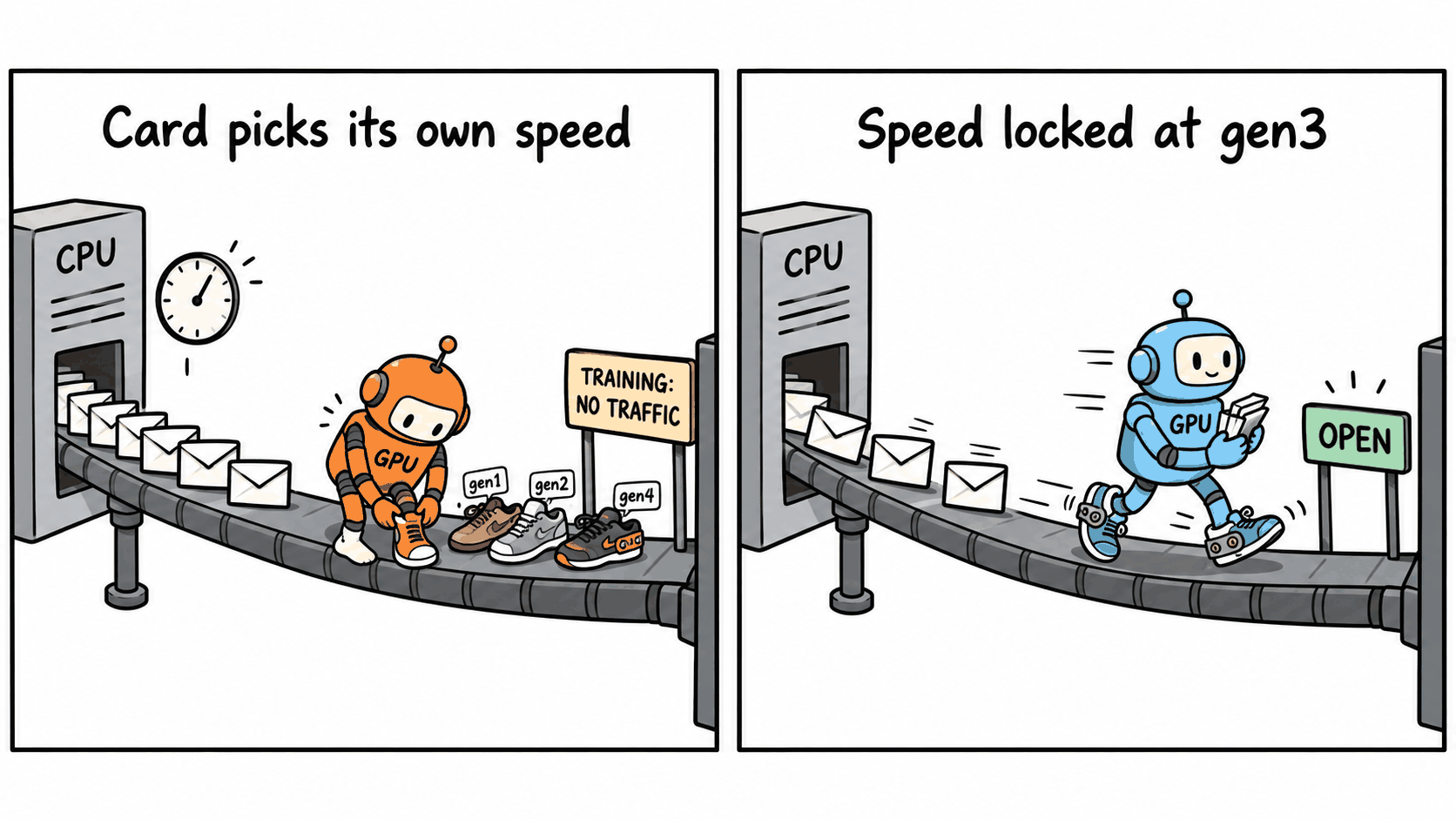
Set both bits on both ends of both links:
for d in 00:03.1 0a:00.0 00:03.2 0b:00.0; do
  sudo setpci -s $d CAP_EXP+30.w=20:20   # autonomous speed disable
  sudo setpci -s $d CAP_EXP+10.w=200:200 # autonomous width disable
done
In lspci -vv the speed setting shows up as SpeedDis+ on the LnkCtl2 line.
Locking gen3 at boot with setpci and systemd 🔗
The first boot with the bits and a gen3 target left both links at gen1. A 3090 sitting idle won’t raise its link speed, even when asked to retrain, so the script wakes each card by locking its clocks, sets the target and both bits, retrains until the link reports gen3, and releases the clocks:
#!/bin/bash
# pcie_lock.sh [GEN]: pin every NVIDIA GPU's PCIe link at one speed (default gen3).
GEN=${1:-3}
# PCIe capability registers. setpci REG=value:mask changes only the bits in mask.
LNKCTL=CAP_EXP+10.w    # bit 9 = autonomous width disable, bit 5 = retrain (root port only)
LNKSTA=CAP_EXP+12.w    # bits 3:0 = speed, bits 9:4 = width, bit 11 = training
LNKCTL2=CAP_EXP+30.w   # bits 3:0 = target speed, bit 5 = autonomous speed disable

sudo nvidia-smi -lgc 1395,1395 >/dev/null; sudo nvidia-smi -lmc 9751,9751 >/dev/null; sleep 2
for BUS in $(nvidia-smi --query-gpu=pci.bus_id --format=csv,noheader | cut -c5- | tr A-Z a-z); do
  GPU=${BUS#0000:}
  PORT=$(basename "$(dirname "$(readlink -f /sys/bus/pci/devices/$BUS)")"); PORT=${PORT#0000:}
  for d in $PORT $GPU; do
    sudo setpci -s $d $LNKCTL2=$GEN:f    # target speed
    sudo setpci -s $d $LNKCTL2=20:20     # autonomous speed disable
    sudo setpci -s $d $LNKCTL=200:200    # autonomous width disable
  done
  for try in 1 2 3 4 5 6; do
    # done when the speed matches and the training bit is clear
    [ $((0x$(sudo setpci -s $PORT $LNKSTA) & 0x80f)) -eq $GEN ] && break
    sudo setpci -s $PORT $LNKCTL=20:20; sleep 2
  done
  s=$((0x$(sudo setpci -s $PORT $LNKSTA)))
  echo "GPU $GPU on $PORT: gen$((s & 0xf)) x$(((s >> 4) & 0x3f))"
done
sudo nvidia-smi -rgc >/dev/null; sudo nvidia-smi -rmc >/dev/null
The clock values are my cards’ base graphics clock and top memory clock. Any lock that keeps the card
out of idle will do, and nvidia-smi -q -d SUPPORTED_CLOCKS lists the supported rates. The script takes a
few seconds per link, most of it the sleeps, and card 0 sometimes needs a second retrain.
A systemd unit runs it after the NVIDIA driver’s persistence service, so nvidia-smi can lock clocks, and
before Docker, so no container starts on a bad link. Put the script somewhere permanent, point ExecStart
at it, save the unit as /etc/systemd/system/pcie-lock.service, and enable it with systemctl:
[Unit]
Description=Pin RTX 3090 PCIe links at gen3 on the x8/x8 splitter
After=nvidia-persistenced.service
Wants=nvidia-persistenced.service
Before=docker.service

[Service]
Type=oneshot
RemainAfterExit=yes
ExecStart=/path/to/pcie_lock.sh 3

[Install]
WantedBy=multi-user.target
Where it ended up: gen3 x8 🔗
The rig is back to boring. The model loads in six seconds, both cards copy at gen3 speed at the same time, and an overnight benchmark that restarted the engine a dozen-odd times never saw a timeout or a GPU error.
Gen3 is also where I stopped. For serving a model it’s plenty, since the two cards talk to each other at less than half of what gen3 delivers.
The better answer is probably a PCIe switch card. With a switch, each GPU’s link ends at a chip on the card instead of running all the way back to the CPU, so the link is short and has a chip at each end. Whether that stops the stalls when the 3090 changes speed is the first thing I’ll test, and it gets its own post.
If your bifurcation riser misbehaves 🔗
- Sample the link status at the CPU end once a second while the link is busy; a link that keeps retraining is the problem, whatever speed it reports.
- Judge speed under load, and expect an x16 card to call an x8 link downgraded.
- Find out whether your platform logs link errors at all, because mine didn’t, and sampling the link status was the only visibility.
- Stop the card from changing speed and width on its own before you blame the hardware.
- If an idle card won’t retrain above the lowest speed, hold it in a working power state while you retrain, if your driver lets you.
- Confirm a BIOS speed setting reached the hardware before trusting it.
- Lower the target speed until copies reach most of the raw rate, then stop.
I had help with this one. Anthropic’s Claude helped me read the registers, run the copy tests, and draft this post. I did the physical work, read all the words, checked the numbers, and rewrote anything that sounded like a chatbot, so the mistakes are mine.
Sources 🔗
- setpci(8), the
value:maskwrite form - pcilmr(8), whose list of link conditions pointed at the two register bits in the fix
- Linux
pci_regs.h, the register bits the scripts read and write,PCI_EXP_LNKCTL_HAWDandPCI_EXP_LNKCTL2_HASDamong them - Xid 79 on an idle RTX 3090, a discussion on NVIDIA’s open kernel modules repo that names gen4 to gen1 link speed transitions as a suspect
- syv-ai qwen38-27b-rtx3090, the repo behind the vLLM container the copy loop ran in